

Everything your bakery needs, in one place
From the first scan at the counter to the owner's report at night.
Fast billing at the counter
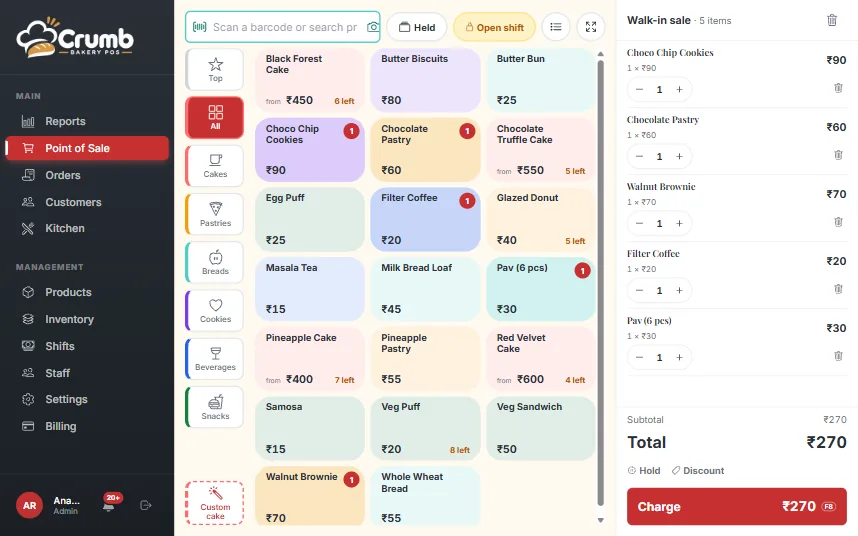
A walk-in sale takes three taps or fewer. The till is built for a queue, not a demo.
Cash or UPI in three taps, with keyboard shortcuts for the desk Change calculator: enter the cash tendered, see the change due Park up to 5 carts and serve the next customer without losing one Discount in ₹ or %, with a cashier limit you set One scan or search box, plus camera or USB barcode scanning Menu rows or picture cards, a Top sellers tab and a category rail Half-kg and 1 kg sizes with stock tracked per size Fullscreen focus mode for tablets and a sticky cart bar on phones
Custom cakes
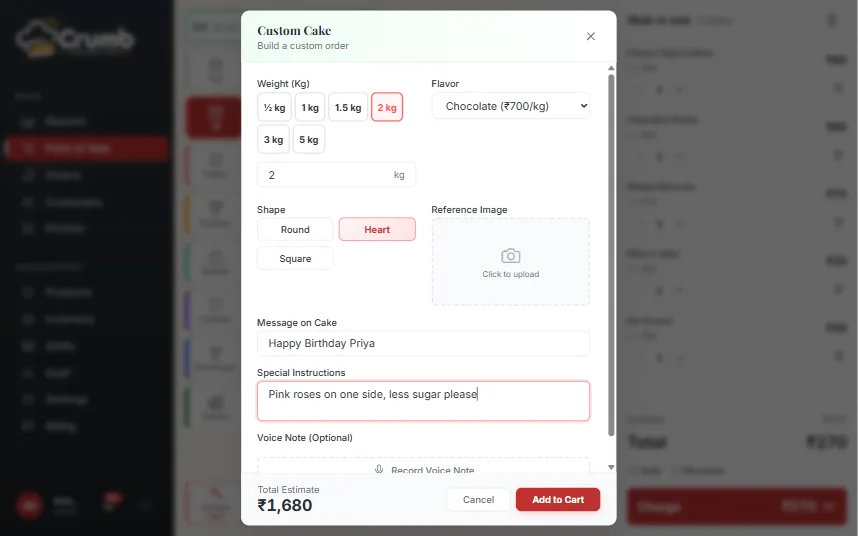
The part generic POS software gets wrong. Crumb is built around how cakes are really ordered.
Priced by weight and flavour, with presets from ½ kg to 5 kg Flavours and shapes you manage yourself Message on the cake and a design note Reference image upload and voice-note recording Suggested advance percentage on every cake Same-day cut-off and minimum-notice warnings
Orders and hand-over
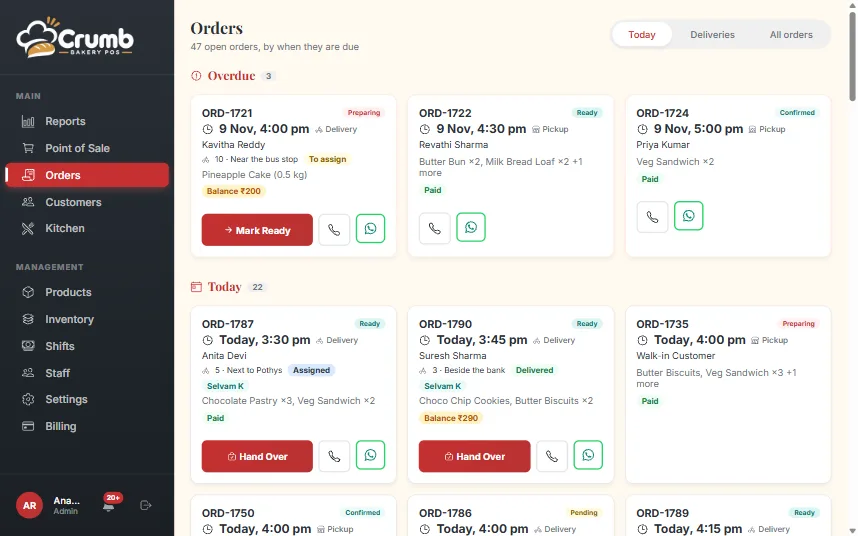
See what is due, collect the balance and close the order without a notebook.
Today board: Overdue, Today, Tomorrow, This week, Later Call and WhatsApp buttons on every order card Hand over: collect the balance by cash or UPI QR, then complete Part payments and cancel with a reason, refund or keep the money Capture the channel: WhatsApp, phone or walk-in Orders without a customer name when it is a quick sale Full order list with filters, plus Excel and PDF export Tables turn into easy cards on a phone, with one ⋯ menu per row
Home delivery and riders
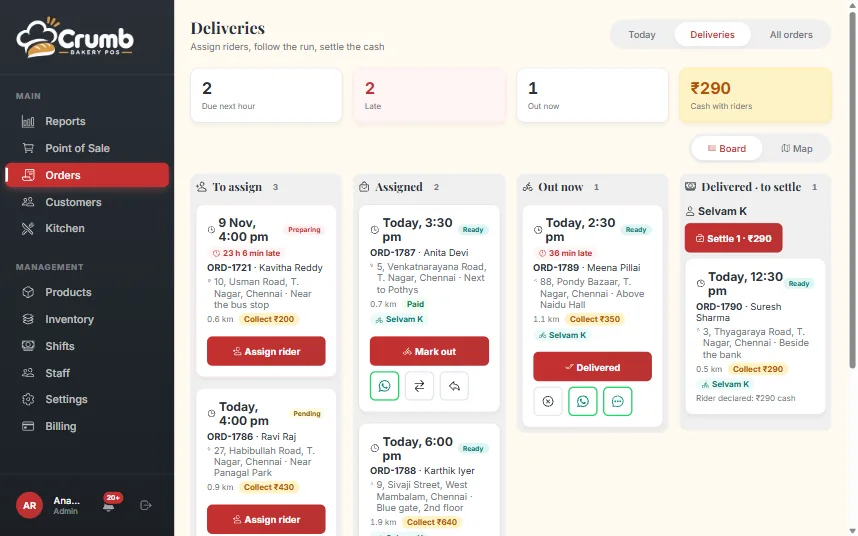
Send cakes and shelf items to the door, and know where the cash is at the end of the day.
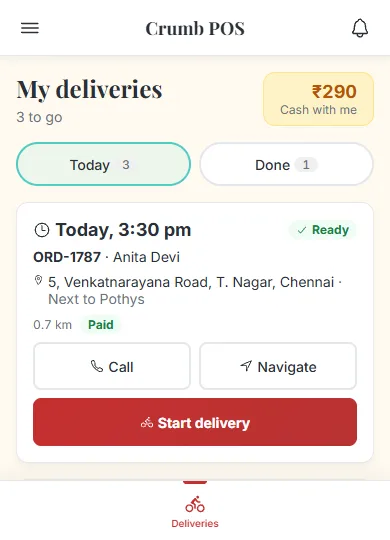
Delivery charge by flat rate or distance slab, free above an amount you set, or any custom charge Drop the address on a map: search, paste a WhatsApp or Maps link, or use your location Send the customer a link so they pin their own location Deliveries board with lanes and a map, and assign a rider with a WhatsApp to them Packing step for shelf-item orders, so a rider never leaves with an unpacked bag Print a delivery slip with no prices, the amount to collect and a map QR Rider app on the phone: today’s runs, call, navigate, Start, Delivered or Could not deliver Riders save the customer’s door spot, so the next delivery starts from the right pin Rider cash handed in at settlement goes to the drawer; any shortfall stays on the customer’s dues
Kitchen board
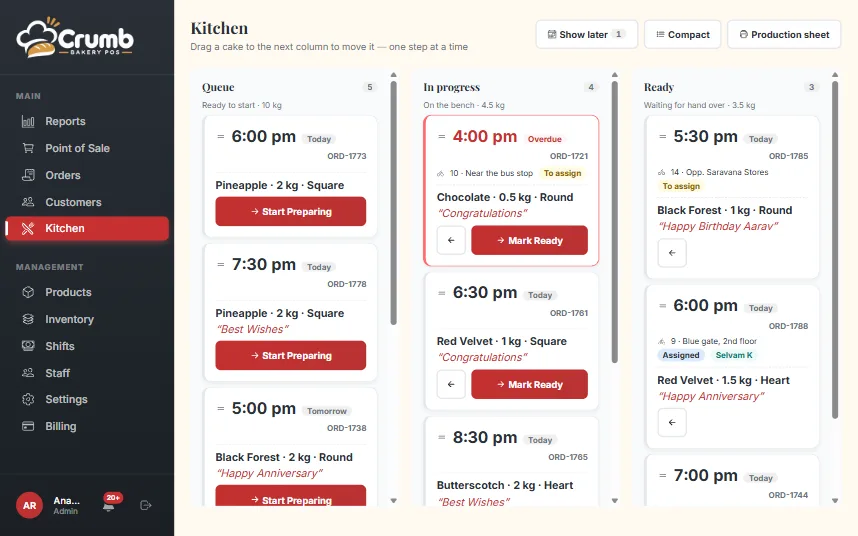
Bakers get their own screen, with only what they need to produce the day.
Queue, In progress and Ready with drag and drop Urgency pills show what is due first Undo bar for accidental moves Compact mode and phone tabs Printable production sheet for the day
Payments and GST invoices
Built for how India pays: UPI everywhere, GST on every bill.
UPI QR for any amount at the till, at checkout and at hand-over Use your own counter QR instead, if you prefer Public pay link that opens the UPI app on a phone and shows a QR on a PC WhatsApp bills and reminders carry the pay link when money is pending GST tax invoice with CGST and SGST split, GSTIN, HSN and amount in words Different GST rates per item, with prices inclusive or exclusive of tax Regular, composition or unregistered shops: tax invoice or bill of supply Business bills with the buyer’s GSTIN, and invoice numbers that restart each financial year Prints on 58 mm and 80 mm thermal paper
Cash drawer and shifts
Know exactly what is in the drawer, and who is accountable for it.
Open a shift with a float and record cash in, cash out and expenses Close with a note count; a note is required when the count does not match Z-report as PDF Owner review and sign-off on every shift
Products and inventory
Accurate stock without the busywork.
Categories you manage, with bulk actions Excel or CSV import that creates and updates products Stock adjustments with a reason and note, and full movement history Low-stock levels and a bulk stock-sheet import Items that need no stock tracking Product pictures compressed automatically
Customers and dues
Customers build themselves from phone numbers. Dues get collected.
Customer records created automatically, with full order history Open dues at a glance, with a Has dues view One-tap WhatsApp reminder with a UPI pay link
Reports for the owner
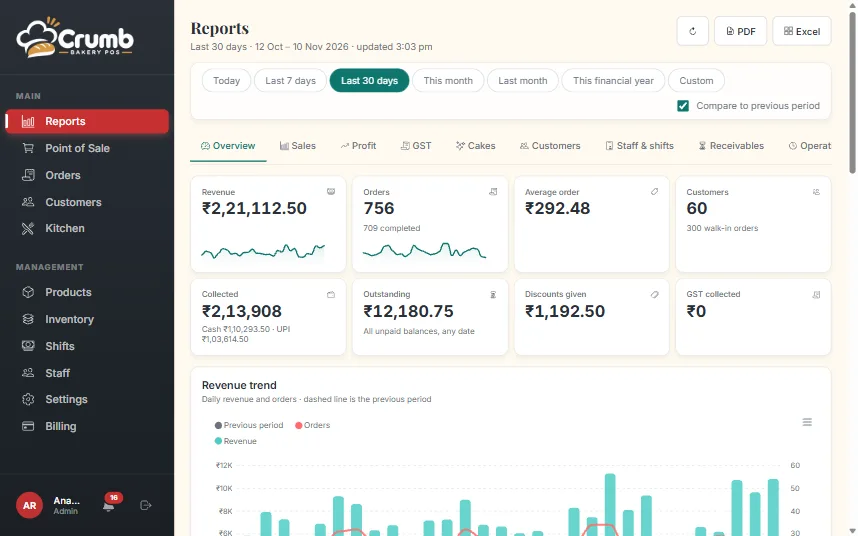
The numbers an accountant would give you, whenever you open the app.
Ten reports: overview, sales, profit, GST, cakes, customers, staff and shifts, receivables, operations, inventory Operations report covers deliveries, charges, on-time runs, per rider and rider cash handovers Compare any date range with the previous period PDF and Excel export on every report Fast even across a full year of orders
Alerts and the phone app
Install Crumb on a phone or PC like an app, and hear about the things that matter without watching the screen.
Install from the browser, no app store needed Push alerts and an in-app inbox, with filters by topic Drawer-closed summary, with an alert when the count is short or over Alerts for large cash-outs, low stock and sold-out items Morning digest of orders due and customers with dues Alerts for security and staff changes Each person chooses which alerts they get
Staff and security
Everyone sees what they need and nothing more.
Four roles: admin, cashier, baker and rider, each with its own home screen Cost price is visible to the owner only Discount limits enforced in the database, not just on screen Audit log of order edits and cancellations Credit notes for cancelled and refunded bills Lock a filed month so its bills cannot change Each shop’s data is kept separate from every other shop